Kamiak high performance computing cluster.

Technology and Support

Classroom Support

Pullman classroom technology support is provided by Pullman Integrated Academic Technologies (PIAT) under the umbrella of Information Technology Services (ITS).

Contacts

For assistance with technology in a general university classroom, please contact PIAT:

For assistance with wireless connectivity, email, Microsoft Teams, your WSU account, or your WSU credentials, please contact Crimson Service Desk:

Support Hours

  • 7:30 a.m. to 5:00 p.m.

If you are teaching in a departmental classroom and need technical assistance, you should contact your department’s technical support staff.

Classroom Technology

Pullman general university classrooms are equipped with advanced technology that supports a wide variety of media presentation, lecture capture, student collaboration and engagement, and connection to remote presenters and campus participants.

What comes standard in all classrooms?

Users have the ability display digital content from local devices, including a computer and document camera, or devices they may carry with them. Network connectivity is available in all WSU facilities for both instructors and students. Audio support is available for media and voice.

If you are using your own device…

Instructors are encouraged to bring their own cables and adapters to connect any additional devices to the equipment provided in a classroom. At this time, PIAT is unable to supply these accessories. If you have concerns about connecting your personal device, contact PIAT.

Classroom Technology Types

Visit our locations and layouts section for specification lists of the technology available in each general university classroom.

classroom rear

Standard technology

Standard technology classrooms are designed to support in-person teaching and learning activities. Instructors have access to:  
  • teaching lectern with technology control
  • classroom computer & monitor
  • document camera
  • personal device connection
  • projector
  • microphone
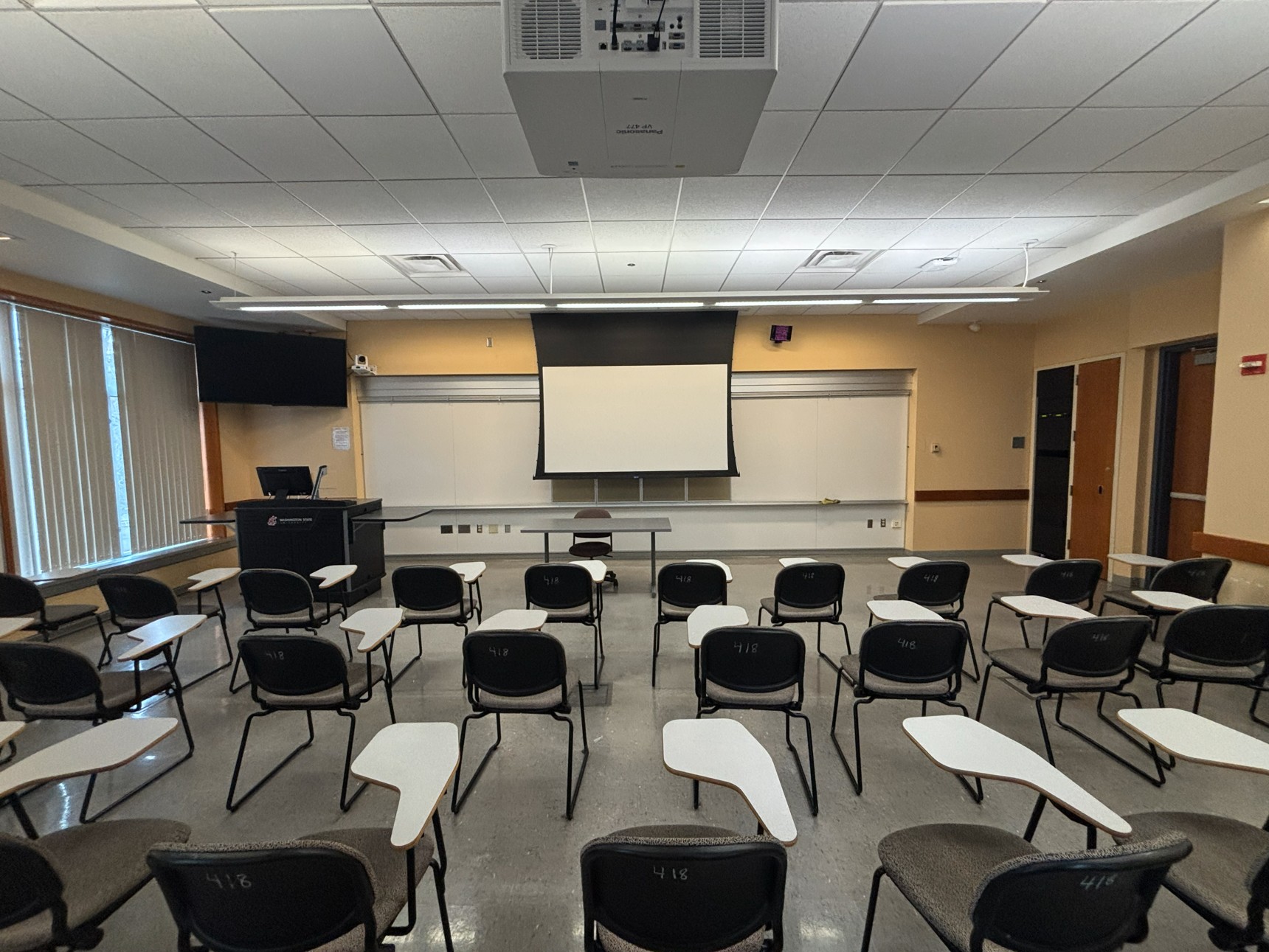
View from the back of the classroom showing three rows of tablet‑arm chairs facing the front. At the front, an instructor podium with technology sits below a large monitor and camera. A large projection screen is mounted beside them, and a whiteboard spans the center of the front wall. A table and chair are positioned at the front for instructor use.

Videoconference technology

Videoconference technology classrooms are optimized to support distance learning. Additional equipment includes:
  • instructor and student cameras
  • confidence monitor
  • instructor and student microphone
Looking out from the front of the classroom over the tables of student seating and toward the back of the room. A series of small poster-sized whiteboards are seen lining the walls with six on the left wall, six on the back wall, and three on the right wall.

Shared student technology

Shared student technology classrooms are optimized to support discussion based learning. Additional equipment includes:
  • student group monitors
  • student collaboration technology

View from the back of the classroom showing seven tables arranged in a U‑shape, each with two chairs facing the front or center of the room. In the center of the U‑shaped layout is a table for the instructor equipped with technology. At the front of the room, is table in front of two large monitors mounted on a moveable stand with cameras below. There are three doors, two at the front and one at the back.

Seminar (VC cart) technology

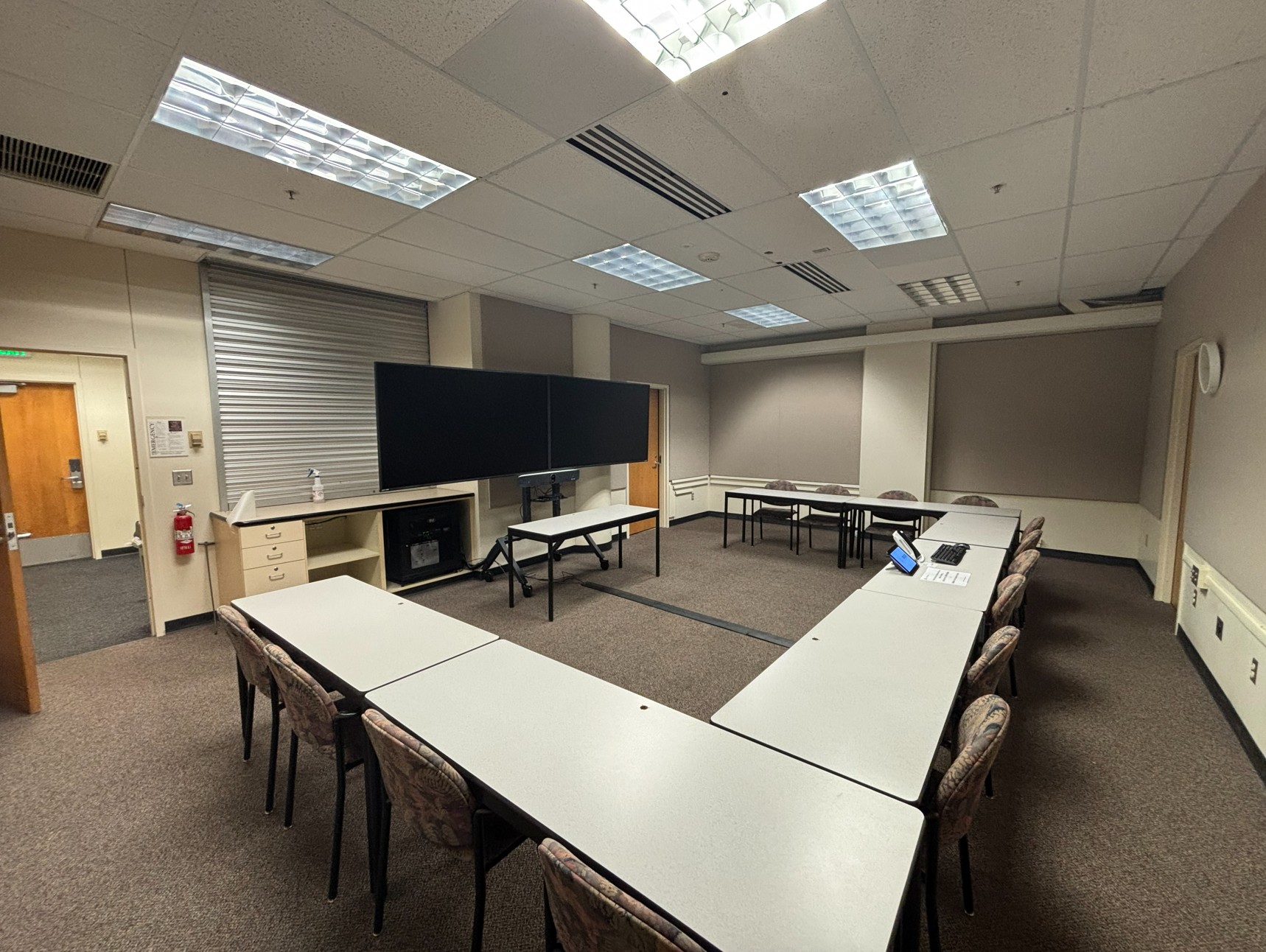
Seminar (VC cart) technology classrooms are optimized to support discussion based learning where the instructor sits with the students or the instructor is teaching from a distance. These smaller classrooms differ in the following:
  • no lectern
  • no document camera

Additional Classroom Support

For unique learning accommodations, contact the Student Accommodations & Disability Resources.

For classroom maintenance issues unrelated to technology or accommodations, contact Facilities and Operations.